UDISE Plus Teacher Module
UDISE Plus Teacher Module is the part of the national UDISE+ system where schools register and maintain teacher and staff records. It’s the official place to add new teachers, update qualifications, record transfers/promotions, and keep teacher data accurate for policy and funding decisions. For many states the school’s 11-digit UDISE code and a password from the Block/District MIS are used to log in.
Why the Teacher Module matters
- Single source of truth: Government planners, state education officers and researchers use UDISE+ data to make decisions about hiring, training and resource allocation.
- Compliance & funding: Accurate teacher records help schools access schemes, grants and training opportunities.
- Teacher welfare: Records of qualifications, service history and training feed into promotions, transfers and professional development plans.
Official sources you should check first
- UDISE+ official portal (Teacher login page).
- State/district SDMS or Block MIS coordinator (for passwords, role assignments).
- Latest UDISE+ user manual / PDF for your academic year (fields and data formats).
How to Login UDISE Plus Teacher Module (simple)
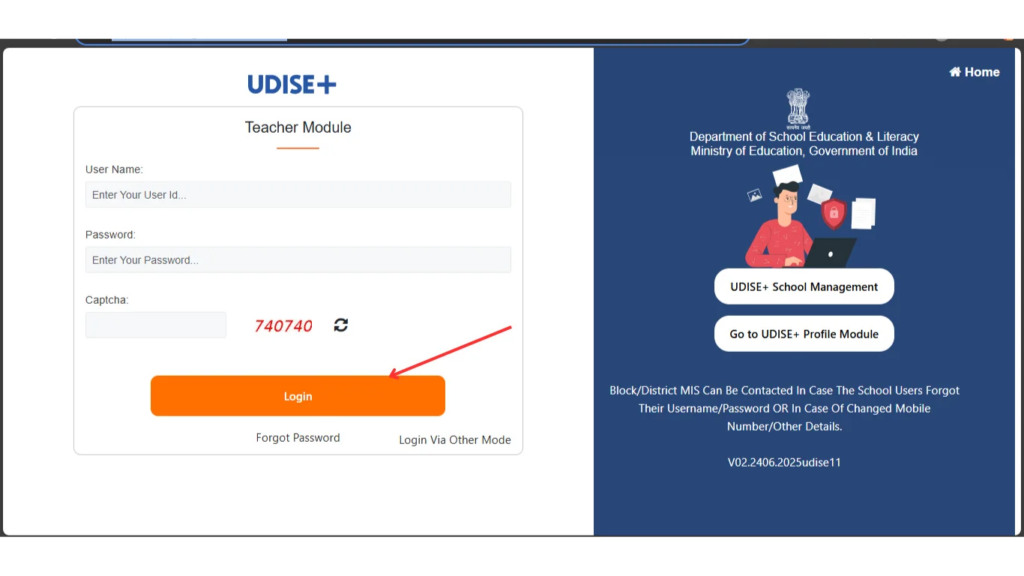
- Open the official UDISE+ Teacher login: http://udiseplus.gov.in/udiseteacher/
- Username: your school’s 11-digit UDISE code.
- Password: the password issued by your Block/District MIS (first-time users usually must change this).
- Enter the captcha and click Login.
- From the dashboard, pick Teacher Module (or Teacher/Profile → Teacher Module) to add or edit staff. If you’re unable to login, contact your Block/District MIS — they handle credential resets.
Tip: Keep a secure offline copy of the changed password and the contact details of your Block/District MIS.
Registering a new Teacher
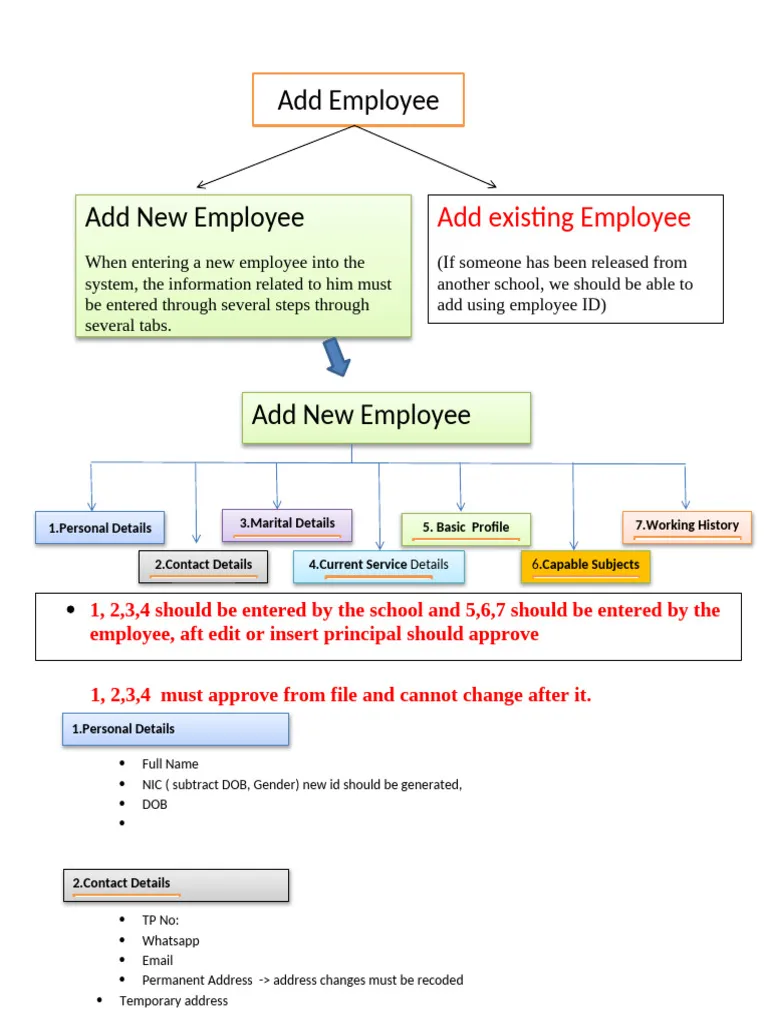
When adding a teacher, most state UDISE+ setups ask for standard fields. The exact list can vary by year/state, but the core fields are:
- Full name, gender, date of birth.
- National/State code (if available) or Aadhaar (where required).
- Educational qualifications (degree, B.Ed, subject specialization).
- Subjects taught, class range, employment type (permanent/contractual).
- Date of joining, appointment order number, pay scale / salary type.
- Contact: phone, email, home address.
- Training history and in-service courses.
- Transfer, retirement, or leave details when applicable.

Note
Many fields are mandatory. Incomplete or inaccurate entries cause rejections at district/state verification stage — fill carefully.
Updating UDISE Plus Teacher Module Records
- Change of designation or promotion: Upload promotion letter / order number and update the appointment history.
- Transfers: Mark previous school as relieved and update new posting details.
- Qualification updates: Add higher qualifications or additional training certificates with supporting documents.
- Exit / retirement / death: Move profile to inactive with date and reason.
- View inactive/dropbox staff: Some modules allow you to search and reactivate staff if wrongly closed.
Best practices for error-free Data Entry
- Follow the user manual for your academic year — fields and validations change.
- Use official documents (appointment letter, degree certificates, Aadhaar) while entering data.
- One entry per teacher: Avoid duplicate profiles — use National Code/Aadhaar to match.
- Keep attachments readable: Scanned PDFs or JPGs should be clear (no blurry photos).
- Save drafts & submit on time: Some states lock the window; finalize before deadlines.
- Backups: Keep a local spreadsheet mirror of entries for your records and audits.
Common problems & quick fixes
- Forgot password: Contact Block/District MIS for reset. Don’t create new school accounts.
- Validation errors (date/field format): Check the user manual for field formats (DD-MM-YYYY, numeric only for certain fields).
- Duplicate profiles: Use search by National Code or Aadhaar to find existing entries before creating a new teacher.
- Mobile number changed: Update via Block/District MIS if the profile is locked to an old number.
How UDISE+ is evolving (short updates)
- UDISE Plus Teacher Module is being integrated with some state School Management Information Systems (SMIS) to reduce duplicate data entry and the teachers’ administrative burden. Several states have begun syncing or requiring GIS/location pinning to improve planning. These integrations aim to let teachers/schools update data once and have it flow to multiple systems.
Why this matters: Integration reduces repetitive work and helps real-time reporting — but it also means districts may change login flows or require additional state-level approvals. Check your state circulars.
Security & Privacy — What Schools Must Know
- UDISE+ holds personal records; treat passwords and scans as sensitive.
- Only authorized school users (usually principal or nominated staff) should have login access.
- Follow state rules for sharing Aadhaar or other sensitive IDs — some states allow masked display.
- Regularly update passwords and log out after sessions.
How Accurate Teacher Data helps your School
- Correct staff count: ensures appropriate teacher-student ratio and avoids understaffing issues.
- Training records: help teachers get priority for professional development and promotions.
- Accurate qualifications: ensure pay and post are correct and speed up audits.
- Access to schemes: many central/state grants depend on UDISE+ verification.
A recent UDISE Plus Teacher Module report noted India crossed 1 crore school teachers in 2025–26 — highlighting why reliable teacher-level data matters for planning.
Checklist before you submit teacher data
- All mandatory fields filled and validated.
- Required supporting documents uploaded and readable.
- Teacher’s Aadhaar/National Code entered where required (or masked if policy).
- Principal or authorized sign-off recorded.
- Local backup (spreadsheet/PDF) stored offline.
FAQ’s
Q1: Who can log in to the Teacher Module?
Authorized school users (usually principal or nominated staff) using the school’s 11-digit UDISE code and a password from Block/District MIS.
Q2: What if the teacher’s Aadhaar is not available?
Use national or state teacher code where possible; follow state guidance — don’t invent numbers.
Q3: Can teachers update their own profiles?
Some states allow teacher self-service; most require the school to make changes and submit for verification.
Q4: Are UDISE Plus changes immediate?
Changes are saved instantly but often require district/state verification before they are final for reports.
Who do I contact for login problems?
A5: Your Block/District MIS coordinator — they control passwords and user roles.
Final Thoughts
Treat UDISE Plus Teacher Module as more than compliance. Accurate teacher profiles support better planning, fair staffing, access to training and funds, and smoother audits. Use the official portal and the user manual for your academic year, keep clean backups, and coordinate closely with your Block/District MIS. That combination turns raw entries into real advantages for teachers and UDISE Plus student Module.